From a pasted description to a listing you’re happy with.
01
Paste your details
Drop your property information into the AI prompt.
02
Let AI prepare it
AI organizes your details into a draft and asks about anything missing.
03
Preview your listing
See how it looks and check that the details are correct.
04
Choose what’s next
Edit anything, save as a draft, or submit for publishing when you’re happy.
Edit your listingSave as draftSubmit for publishing
You stay in control. Submitted listings go through admin review before they appear publicly.
SEE THE IDEA IN ACTION
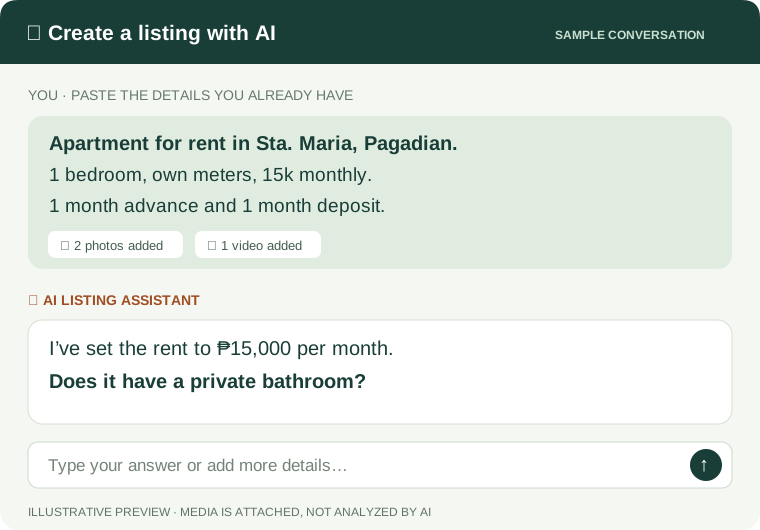
From a few lines to a clearer draft.
Example walkthrough · no live AI request
YOU BRING THE DETAILS
“Apartment in Sta. Maria, Pagadian. 1 bedroom, own meters, 15k monthly.”
+ Photos and videos can be added here
A DRAFT YOU CAN REVIEW
Property type
Apartment
Location
Sta. Maria, Pagadian City
Price
₱15,000 / month
Details
1 bedroom · Own meters
✦ One more detail
Does it have a private bathroom?
You confirm the facts. AI helps prepare the draft; it doesn’t verify the property or analyze uploaded media. Submissions go to admin review before appearing publicly.
01
Show the space.
Upload photos and videos and choose a cover visual. Saved listing uploads remain available after a reload.
02
Keep track of the post.
Save a draft, submit for review and edit your listing. A permanent listing ID makes it easy to refer to the exact property.
03
Keep inquiries together.
Reply from your private Inbox. See admin notices separately, including feedback when a listing needs changes.
REVERSE MARKETING / LOOKING FOR
Find people already looking for a place like yours.
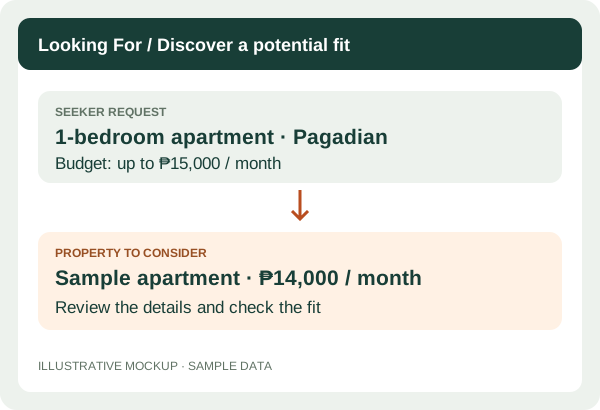
A listing tells people what you have. A Looking For request tells you what someone needs. Explore requests by property type, location and budget to spot a potential fit.
Demo preview · browser-local requests
Registered users can post shared requests and send private replies in their workspace. The preview shown here uses sample requests; automatic matching is not enabled.
Sample preview · request and property examples; no automatic matching
FOR HOSTS & LISTERS / BUSINESS TOOLS
Manage more than your listing.
Explore tools designed to help you organize interest, plan your next step and understand activity.
Demo preview
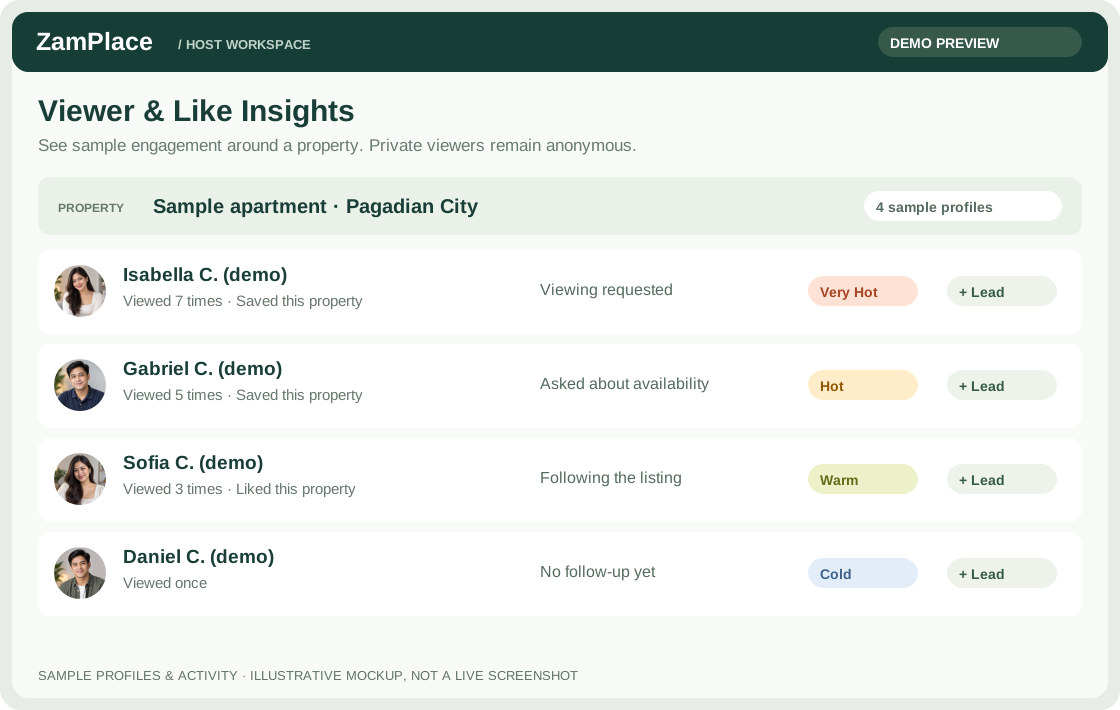
CRM & Viewer Insights
View larger preview ↗Sample profiles and activity · private viewers remain anonymousKeep your leads organized.
Explore a workspace for prospective renters and buyers, lead details, notes and follow-ups.
The illustration uses sample profiles. Registered accounts have private CRM notes tied to real conversations and aggregate listing statistics; visitor identities are not disclosed.
Demo preview
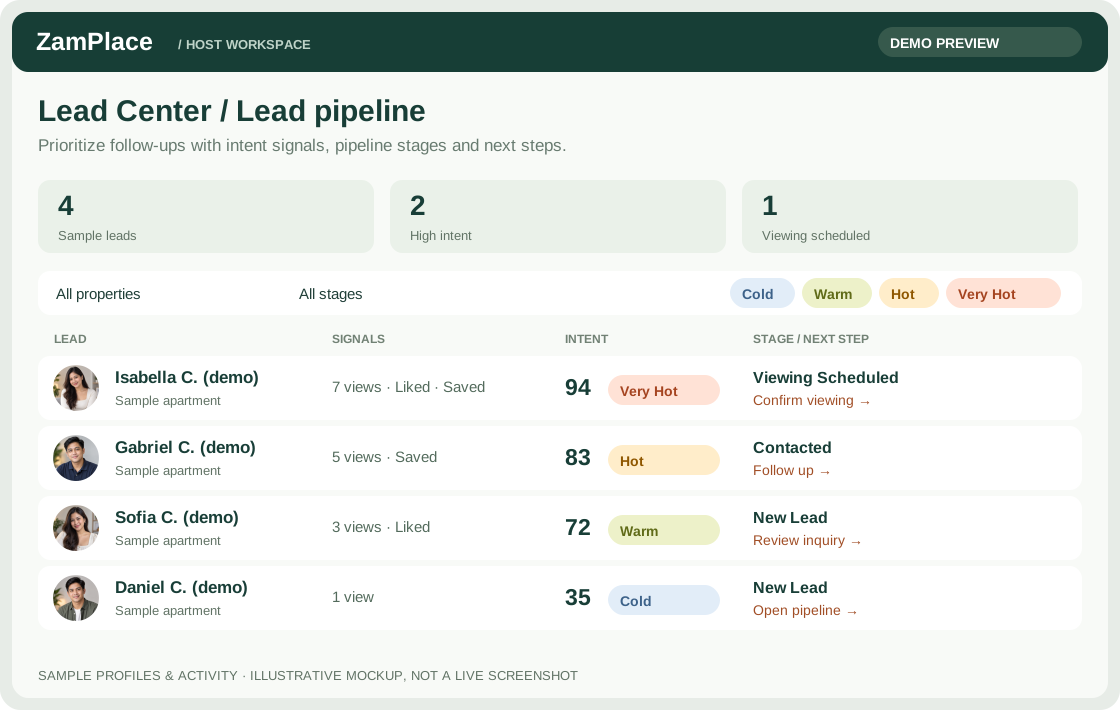
Lead pipeline
View larger preview ↗Sample profiles · intent labels and pipeline stages are separateSee the next step.
Explore how opportunities move from initial interest through follow-up toward an outcome.
Pipeline examples use demo or local records. Live Inbox conversations do not automatically become pipeline leads.
Demo preview
Analytics
Interactive sample · illustrative numbers, not actual performance. Open full sample ↗
Understand your activity.
Explore views, customer actions and outcomes, with property, date and daily or weekly reporting options.
↓
Downloadable reports
Take your selected date range into a presentation or spreadsheet. Export report summaries from your Analytics workspace as PDF, Excel-compatible XLS or CSV.
Exports include the data-source label. Demo and browser-local figures remain sample data.
Charts include sample and browser-local activity, not traffic measured across all visitors and devices.
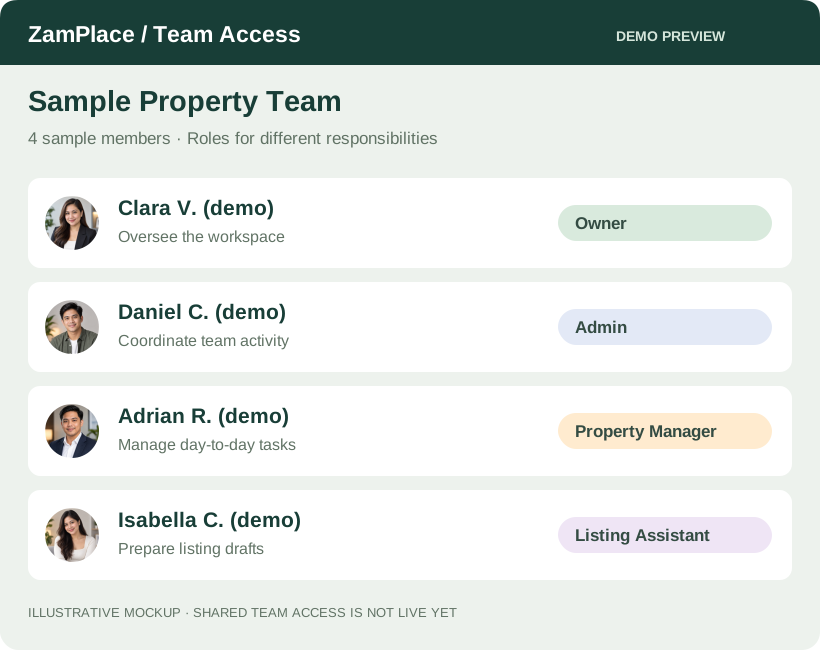
You don’t have to handle every task yourself. Explore Team Access: a workspace designed to let you bring someone in to help, with a role that fits their responsibilities.
Owner & Admin — oversee the team and coordinate work.
Property Manager — help with day-to-day property tasks.
Listing Assistant — help prepare listing details and drafts.
Demo preview
Registered accounts can invite members as editors or viewers, assign tasks, and review proposed listing edits. Permissions are enforced by the server; listing owners approve changes before moderation.
ZamPlace is in beta. Sample listings are labeled, and sample owners can’t receive messages. We’re showing what works today and being clear about what’s next.
Explore demo previews & what’s next +
Demo previews
The illustrations and demo accounts use sample data. Registered users have a separate shared workspace for requests, viewings, offers, CRM notes, statistics, reviews and saved/recent listings.
Team access
The admin Teams view retains labeled demo snapshots. Registered users manage their own real teams in the shared workspace using individual accounts.
On the roadmap
Email verification requires the sending service to be configured. Phone verification, password recovery and the separate production website remain deferred.